Notes
Disable Windows Defender permanently with Registry Editor
Turning off Windows Defender for good by adding three DWORD values under the Windows Defender policies key in regedit.
System Administration
tl;dr
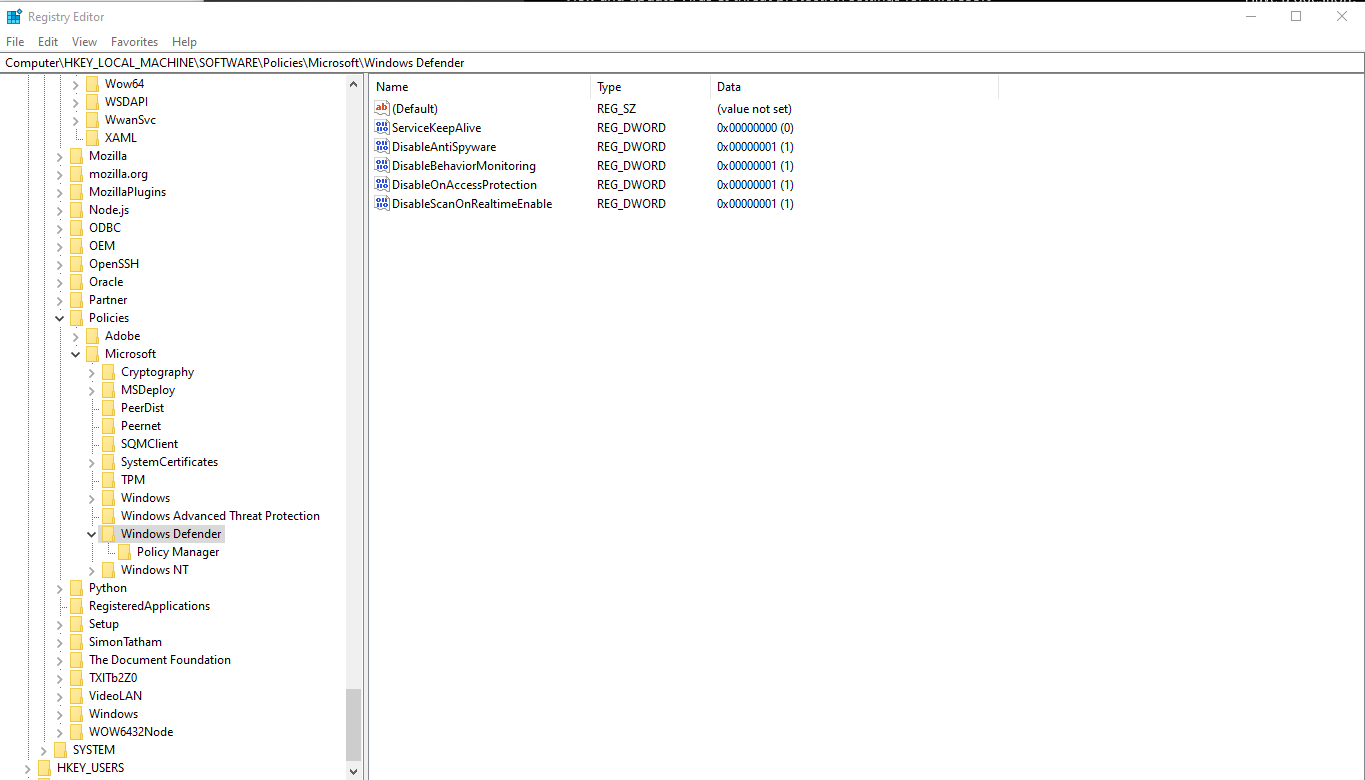
Open regedit as Administrator and add a bunch of hexadecmial values here: Computer\HKEY_LOCAL_MACHINE\SOFTWARE\Policies\Microsoft\Windows Defender
- Open
regedit(Registry Editor) from the start menu. I did it as an Administrator just to make sure it works - Go here:
Computer\HKEY_LOCAL_MACHINE\SOFTWARE\Policies\Microsoft\Windows Defender - Right click on Windows Defender and add the following as DWORD (32-bit) Value
| Value Name | Value Data | Base |
|---|---|---|
| DisableBehaviorMonitoring | 1 | Hexadecimal |
| DisableOnAccessProtection | 1 | Hexadecimal |
| DisableScanOnRealtimeEnable | 1 | Hexadecimal |
You may have to add a value and then double-click it again to set it’s data.