Notes
Upgrade from OpenCart 2.1.0.2 to 2.3.0.2
my steps for upgrading OpenCart 2.1.0.2 to 2.3.0.2, with backups, permissions, leftover folders to delete, and errors i hit
OpenCart
4 minutes
Pre-Upgrade
Backup everything
- PhpMyAdmin > Export database
- Compress and copy the
public_html/folder
Set file and folder permissions for install
 1chmod 777 config.php
 2chmod 777 admin/config.php
 3chmod 777 image/
 4chmod 777 image/cache/
 5chmod 777 image/catalog/
 6chmod 777 system/storage/cache/
 7chmod 777 system/storage/logs/
 8chmod 777 system/storage/download/
 9chmod 777 system/storage/upload/
10chmod 777 system/storage/modification/
- Delete any modification files (this may delete your OCMODs. proceed with caution!)
rm -rf system/storage/modification/*
I did delete all the files inside the modification folder and it didn’t seem to have affected all the OCMOD files that i had installed on the site. They were still there listed under Extensions > Modifications and i could install them by clicking the + button
Upgarde
- Download and unzip OC 2.3.0.2 files
- Backup
config.phpandadmin/config.php - Upload the extracted
upload/folder into site’s root folder and overwrite existing files - Run the install script
http://yourdomain.com/install
Post-Upgrade
- Secure permissions (after install)
 1# delete install folder
 2if [ -d "install/" ]; then
 3  rm -rf install
 4fi
 5
 6# To change all the directories to 755 (-rwxr-xr-x)
 7find . -type d -exec chmod 755 {} \;
 8
 9# To change all the files to 644 (-rw-r--r--):
10find . -type f -exec chmod 644 {} \;
11
12# set 444 for admin files
13chmod 444 config.php
14chmod 444 admin/config.php
15chmod 444 index.php
16chmod 444 admin/index.php
17chmod 444 system/startup.php
18
19# set 777 for cache
20chmod 777 image/cache/
21chmod 777 system/storage/cache/
- Delete folders
1rm -rf catalog/model/total
2rm -rf catalog/model/payment
3rm -rf catalog/model/shipping
4rm -rf catalog/controller/module
5rm -rf catalog/controller/payment
6rm -rf admin/controller/module
7rm -rf admin/controller/payment
8rm -rf admin/controller/shipping
9rm -rf admin/controller/total
- Delete OS Specific Files: Delete all
.DS_Storefiles. (You’ll get these copied if you uploaded any files from your Mac. Deleting these is good because a: they’re clutter and b: sometimes they prevent deletion of folders as Linux systems may not delete folders if the directory isn’t empty/ has hidden files in it)
1find . -name 'Thumbs.db' -exec rm -rf {} \;
2find . -name '.DS_Store' -exec rm -rf {} \;
- Remove troubleshooting code for displaying errors, if any
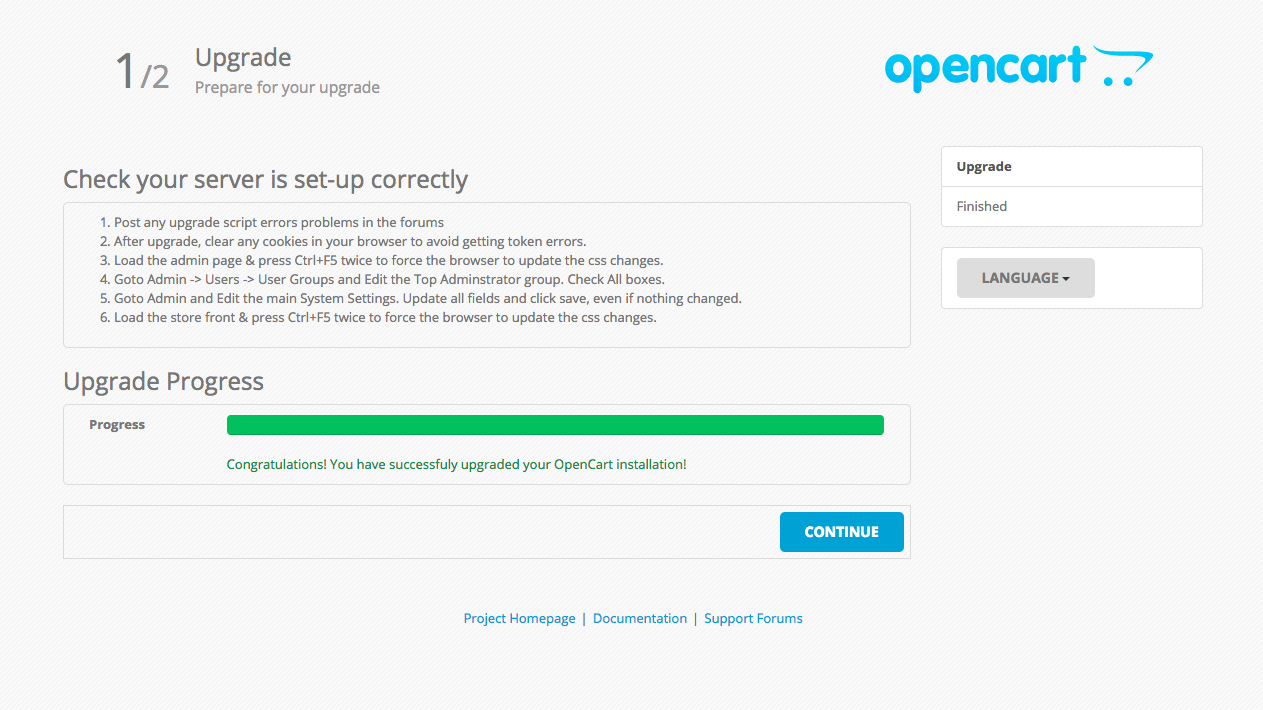
- After upgrade, clear any cookies in your browser to avoid getting token errors.
- Load the admin page & press Ctrl+F5 twice to force the browser to update the css changes.
- Goto Admin -> Users -> User Groups and Edit the Top Administrator group. Check All boxes.
- Goto Admin and Edit the main System Settings. Update all fields and click save, even if nothing changed.
- Load the store front & press Ctrl+F5 twice to force the browser to update the css changes.
Troubleshooting
White screen of death / Blank screen / Page isn’t working after copying files
- First things first, add the following code to the top of
index.phpandinstall/index.php(after opening php tag<?php)
1// Error reporting
2ini_set('display_startup_errors',1);
3ini_set('display_errors',1);
4error_reporting(-1);
This will make sure that you see errors if there are any instead of a blank screen (white screen of death). Make sure to take it out after you’re done with the upgrade.
Once you’ve enabled error reporting and still see a blank page, check the site’s error log.
Make sure the database connection details are correct.
Error: Could not load model total!
Give up on 2.2.x compatibility and delete the following left-over folders
catalog/model/total
catalog/model/payment
catalog/model/shipping
catalog/controller/module
catalog/controller/payment
admin/controller/module
admin/controller/payment
admin/controller/shipping
admin/controller/total
Admin Login > Failed to load resource: the server responded with a status of 404 (Not Found)
The error traced back to a file in the modifications folder. So i just deleted the modifications
1rm -rf system/storage/modifications/*
Extension specific errors
You’re bound to get some extension specific errors. Start installing your extensions once by one
e.g. This is for the One POS extension
Fatal error: Uncaught Exception: Error: Could not load model extension/total/pos_discount! in /var/www/3.dev.cakebox.me/public_html/system/engine/loader.php:59 Stack trace: #0 /var/www/3.dev.cakebox.me/public_html/catalog/controller/common/cart.php(34): Loader->model('extension/total...') #1 /var/www/3.dev.cakebox.me/public_html/system/engine/action.php(51): ControllerCommonCart->index(Array) #2 /var/www/3.dev.cakebox.me/public_html/system/engine/loader.php(24): Action->execute(Object(Registry), Array) #3 /var/www/3.dev.cakebox.me/public_html/catalog/controller/common/header.php(129): Loader->controller('common/cart') #4 /var/www/3.dev.cakebox.me/public_html/system/engine/action.php(51): ControllerCommonHeader->index(Array) #5 /var/www/3.dev.cakebox.me/public_html/system/engine/loader.php(24): Action->execute(Object(Registry), Array) #6 /var/www/3.dev.cakebox.me/public_html/catalog/controller/common/home.php(17): Loader->controller('common/header') #7 /var/www/3.dev.cakebox.me/public_html/system/engine/action.php(51): Con in /var/www/3.dev.cakebox.me/public_html/system/engine/loader.php on line 59
Fatal error: Uncaught Error: Call to undefined method Cart\Currency::formatFront() in /var/www/3.dev.cakebox.me/public_html/admin/controller/extension/module/pos.php:2981 Stack trace: #0 /var/www/3.dev.cakebox.me/public_html/admin/controller/extension/module/pos.php(5740): ControllerExtensionModulePos->createEmptyOrder(true, false, 0, 0) #1 /var/www/3.dev.cakebox.me/public_html/admin/controller/extension/module/pos.php(1120): ControllerExtensionModulePos->getEmptyOrder(false) #2 /var/www/3.dev.cakebox.me/public_html/system/engine/action.php(51): ControllerExtensionModulePos->main() #3 /var/www/3.dev.cakebox.me/public_html/admin/controller/startup/router.php(26): Action->execute(Object(Registry), Array) #4 /var/www/3.dev.cakebox.me/public_html/system/engine/action.php(51): ControllerStartupRouter->index() #5 /var/www/3.dev.cakebox.me/public_html/system/engine/front.php(34): Action->execute(Object(Registry)) #6 /var/www/3.dev.cakebox.me/public_html/system/engine/front.php(29): Front->execute(Object(Action)) #7 /var/www/3.de in /var/www/3.dev.cakebox.me/public_html/admin/controller/extension/module/pos.php on line 2981
Fatal error: Uncaught Error: Call to undefined method Cart\Currency::formatFront() in /var/www/3.dev.cakebox.me/public_html/admin/controller/extension/module/pos.php:2981 Stack trace: #0 /var/www/3.dev.cakebox.me/public_html/admin/controller/extension/module/pos.php(5740): ControllerExtensionModulePos->createEmptyOrder(true, false, 0, 0) #1 /var/www/3.dev.cakebox.me/public_html/admin/controller/extension/module/pos.php(1120): ControllerExtensionModulePos->getEmptyOrder(false) #2 /var/www/3.dev.cakebox.me/public_html/system/storage/modification/system/engine/action.php(51): ControllerExtensionModulePos->main() #3 /var/www/3.dev.cakebox.me/public_html/admin/controller/startup/router.php(26): Action->execute(Object(Registry), Array) #4 /var/www/3.dev.cakebox.me/public_html/system/storage/modification/system/engine/action.php(51): ControllerStartupRouter->index() #5 /var/www/3.dev.cakebox.me/public_html/system/engine/front.php(34): Action->execute(Object(Registry)) #6 /var/www/3.dev.cakebox.me/public_html/system/engine/front. in /var/www/3.dev.cakebox.me/public_html/admin/controller/extension/module/pos.php on line 2981